Special Comments
Special Comments
On the Item Card, Service Item, Customer Card and Vendor Card pages a new Special Comment is available which allows you to enter a text that should be displayed when users open a page where the record is used.
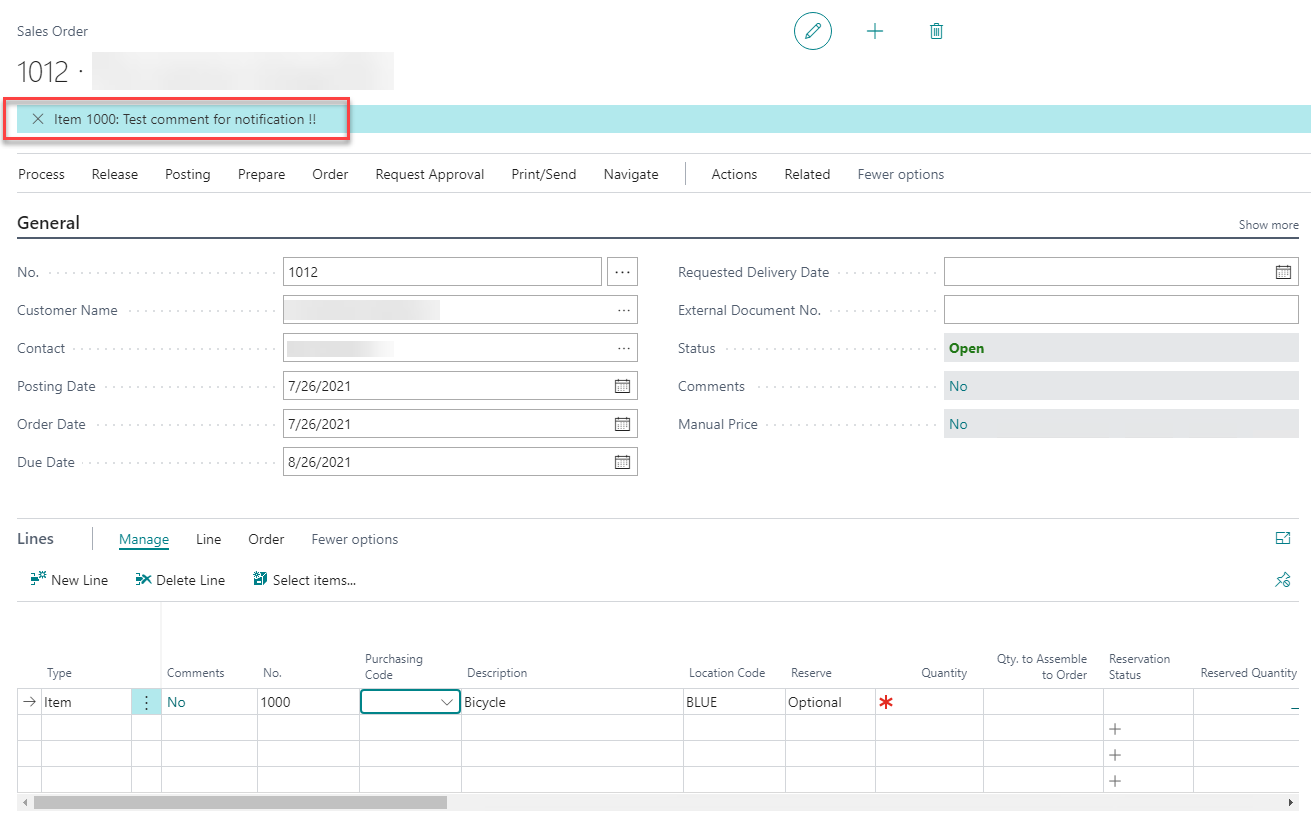
More specifically, the text that is entered in this field will be shown as notification when the particular record is used in a sales, purchase or service document in your Business Central Environment.
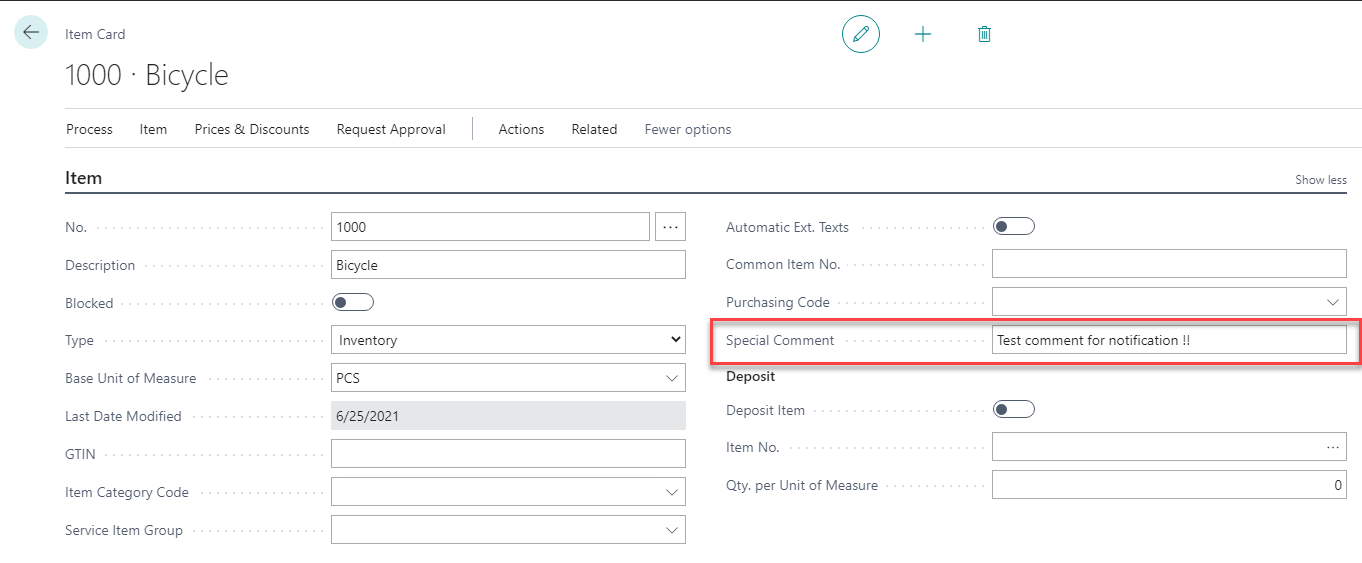
For example, when you enter a value in the Special Comment field of Item 1000 Bicycle, a notification will be shown when adding the item to a document:
Special Comment Behaviour
On the Convenient Comment Setup page it is possible to define which behaviour applies for the several Special Comments:
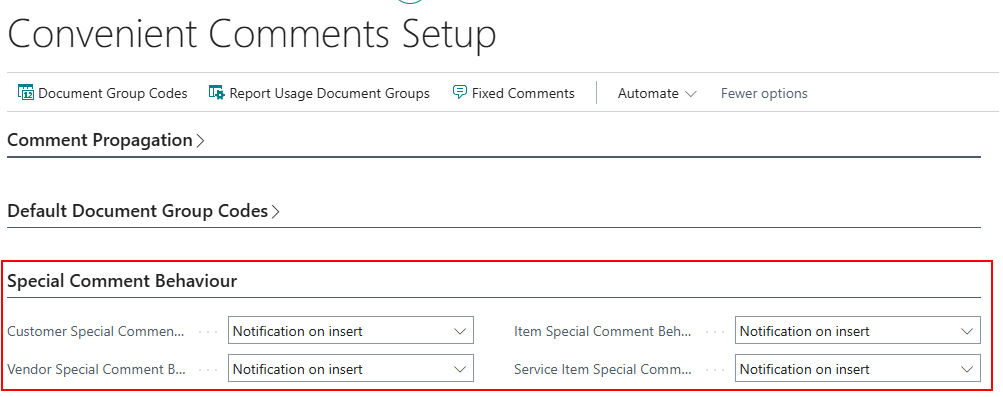
The following behaviour is possible for Customers/Vendors:
- Notification on insert
- Notification on insert and open record
- Message on insert
- Message on insert and notification on open record
- Don’t show special comment
For Items and Service Items you have the following options:
- Notification on insert
- Message on insert
- Don’t show special comment
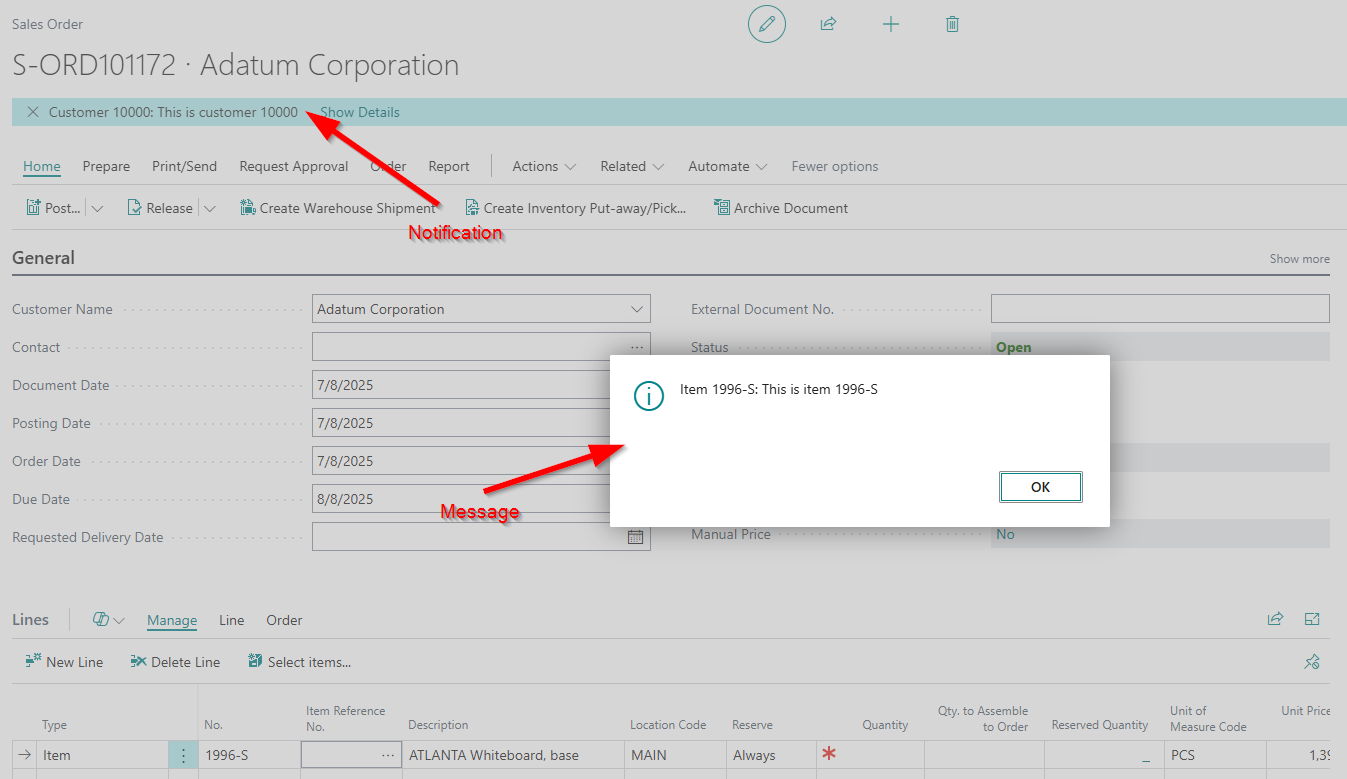
The difference between a notification and a message:
- Notification: blue notification message on the top of the current page
- Message: a pop-up that must be confirmed by clicking OK
Note
When Notification on open record is chosen the blue notification will always appear when applicable.
If the user removes it, the next time the user triggers the OnAfterGetCurrRecord trigger the notification will be there.
There is no option to exclude that behaviour.